Restore purchases on a new PC
New computer, fresh system install, or removed a pack you want back? Nothing you bought is lost: every purchase stays in your Gumroad library, forever. Download each purchase’s .zip again and the app does the rest.
Restore your packs
Section titled “Restore your packs”-
In the app, click Store, then My purchases.
-
Click Restore purchases at the top right. Your Gumroad library opens in your browser, and the app looks in your Downloads folder for unlock files.
-
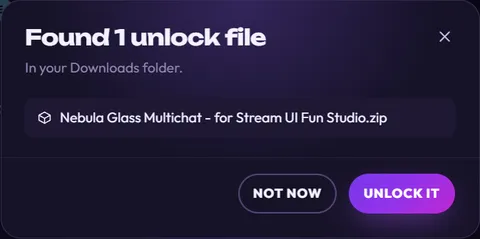
Already downloaded your files? The app lists them straight away (like the picture in step 4): skip to step 5.
If there are none yet, the app shows what to do:
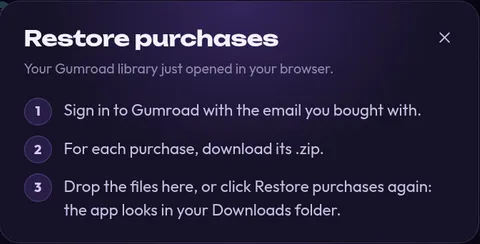
In your browser, sign in to Gumroad with the email you bought with. Then, for each purchase, download its .zip. Let them save to your Downloads folder.
-
Back in the app, close the box (×) and click Restore purchases again. Your Gumroad library opens in your browser once more (you can close that extra tab). This time the app lists what it found:
-
Click Unlock it (or Unlock all when it found several).
-
You see You’re all set! with everything that came back. Click Open to see the elements.
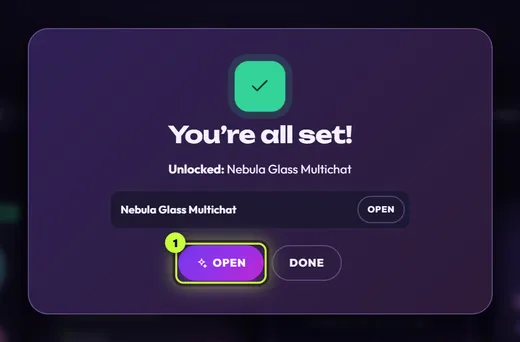
Packs sold with a license key show Almost there! instead. Click Enter license key and paste the key from your receipt. See License keys.
How the app finds your files
Section titled “How the app finds your files”- It looks at the 40 newest .zip files in your Downloads folder.
- It only lists unlock files for packs you don’t have yet, or newer versions of ones you have. Everything else is left alone.
- Your browser saves somewhere else? Drag the files in from there, or use Browse… in the Bought something? box, where you can pick several .zip files at once.
What comes back, and what doesn’t
Section titled “What comes back, and what doesn’t”Restore purchases brings back your packs. A few things are separate:
- Your channel and your changes to elements are saved by the app on the old PC; restoring packs doesn’t bring them over. Set up your channel again on the new PC. Your files, backups and uninstalling explains where the app keeps everything.
- OBS: add your elements to OBS again on the new PC with Add to my stream. See Add to OBS Studio.
- License keys are entered again on each computer, and each time counts as one use of the key on Gumroad. If you get This key for … was already used on too many computers. Contact us to reset it., email hello@streamui.fun with your Gumroad receipt.
Can’t get into your Gumroad library?
Section titled “Can’t get into your Gumroad library?”- Open app.gumroad.com/library with the email you bought with. If you checked out as a guest, look for your Gumroad receipt email: it has your download links too.
- Can’t find the email at all? Email hello@streamui.fun with the email address you bought with, and we’ll resend it.